

linkedin-search-people but you can apply the same patterns to other actions by changing the path and JSON body.
Goals:
- How To — Tips and good practice to implement Edges.
- Manage Cursor — paginate with
X-Pagination-Nextuntil done; - Fewer webhooks — use Edges
callback.on: "final"for async so you get one callback per run, then pull data withGET /v1/runs/{run_uid}/outputs(Callbacks).
1. Set the request body to JSON
Use an HTTP Request node:- Method
POST. - Enable Send Body.
- Body Content Type → JSON.
- Paste or build your JSON.
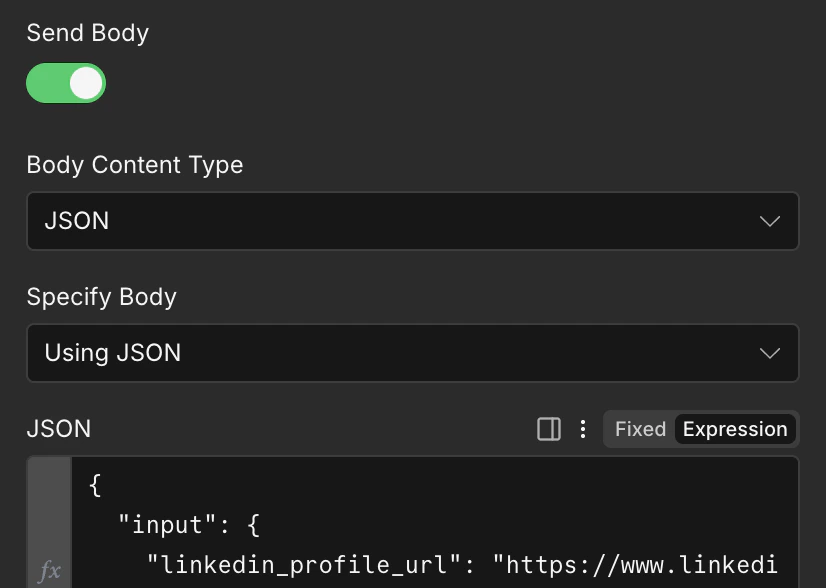
n8n Cloud: HTTP Request JSON body for Edges API
Accept: application/json header to ensure the response is in JSON format.
2. Send the X-API-Key header
For each request to the Edges API you need to authenticate thanks to your API key.
Edges authenticates with X-API-Key (not Bearer).
Add a header field
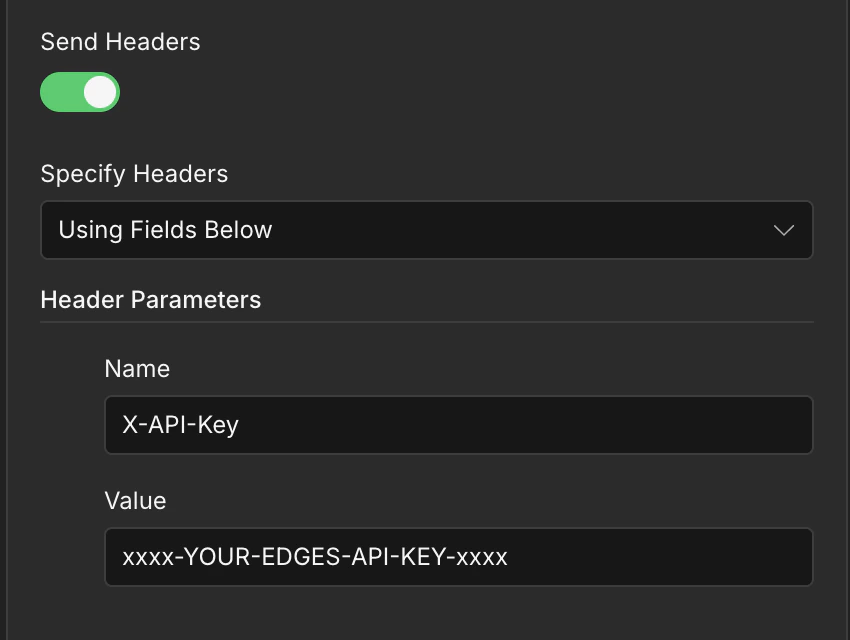
n8n Cloud: X-API-Key header for Edges API authentication
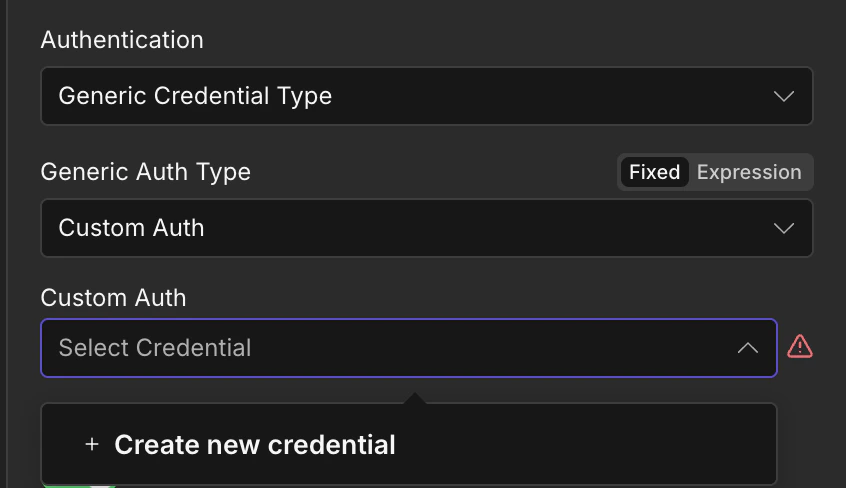
n8n Cloud: X-API-Key header for Edges API authentication
3. Show headers and body
Enable Include Response Headers and Status / Full response (wording depends on n8n version). The item shape is typically like{ body, headers, statusCode } so the next step can read headers['x-pagination-next'].
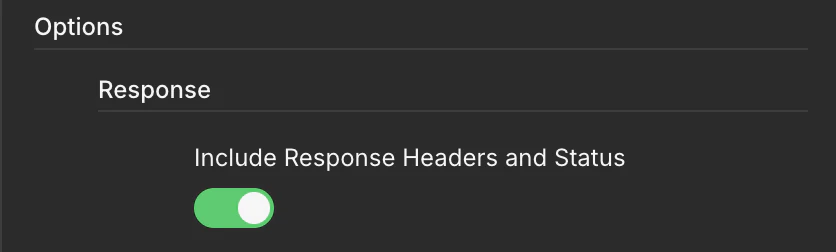
n8n Cloud: full response with headers and JSON body for Edges
Live mode: native loop on X-Pagination-Next
In live mode, Edges returns the next page as a full URL in the X-Pagination-Next header.
Call it exactly as returned. stop when the header is missing or empty.
Simple implementation
- Edit Field
cursorto empty string or with the returned cursor header ←{{ $runIndex === 0 ? '' : $('Extract Pagination Cursor').first().json.pagination_cursor }} - Check if
cursoris set. If empty then launch the first request. If cursor exist then go to the cursor request. - HTTP Request —
POSTtohttps://api.edges.run/v1/actions/linkedin-search-people/run/liveand full response enabled. Or use thecursoras URL. - Edit Field — extract
cursor - Check if
cursoris returned. If cursor exist then go back to the first step of the loop ! - If no cursor is returned then continue. You have to process or store the results during the loop.
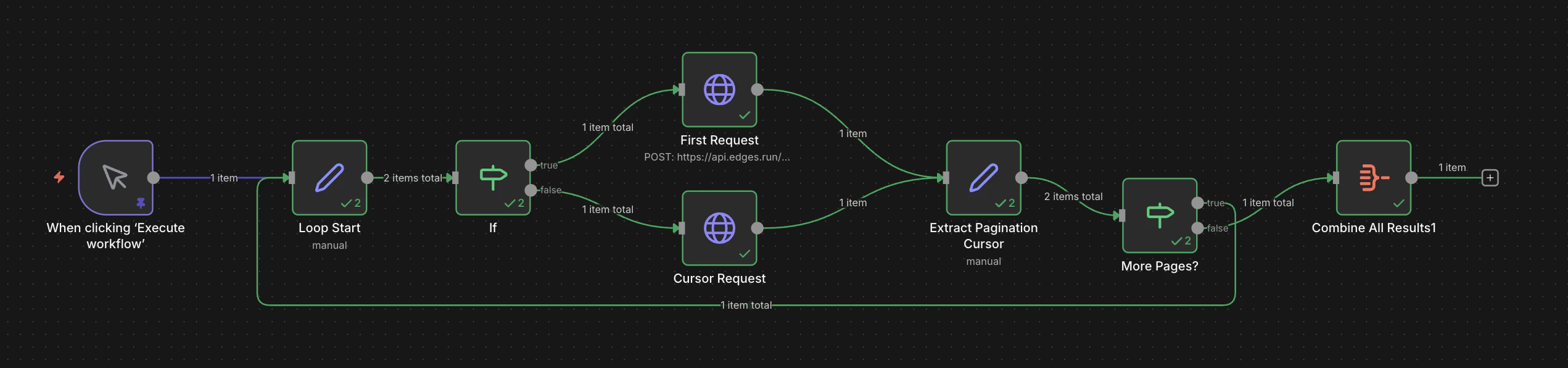
n8n Cloud: native IF loop for Edges live X-Pagination-Next pagination
Importable workflow (live loop)
Replace the placeholder key in both HTTP nodes after import. Complete the canvas so HTTP Next page connects back to Extract pagination.Async mode: final webhook + outputs pagination
Why callback.on: "final"
With "final", Edges sends one callback when the run finishes instead of streaming many callbacks. That fits n8n Cloud well: one Webhook execution per run, then you pull the full result set with the outputs API (Streaming vs final callbacks).
Start the async run
HTTP Request POST onhttps://api.edges.run/v1/actions/linkedin-search-people/run/async
Body example (replace the webhook URL with yours):
When the Webhook fires
The payload includesrun.run_uid (see Callbacks). Use Edit Fields (Set):
- HTTP Request — method GET. In the URL field, use the
runUidreturned to the callback.https://api.edges.run/v1/runs/{{ $json.runUid }}/outputsand enable full response. - Same Set / IF / HTTP pattern as live mode:
nextUrlfromx-pagination-next
- Loop until no cursor are returned.
Related
Callbacks
Why
on: "final" suits n8n, and what the payload contains.Get run outputs
Pull the full result set once the final callback arrives.
Pagination
Cursors and the headers that page for you.
Execution Modes
Live, async and schedule compared.